Private Beta launches November 1, 2026 → Join the waitlist

Private Beta launches Nov 1, 2026 → Join the waitlist

Automations

Turn comments and DMs

Turn comments and DMs

Plan an entire month of

into flows that run themselves.

into flows that run themselves.

content in one afternoon.

Automations is Qootra's social-native conversation engine — comment replies, DMs, welcome messages, sequences, and handoffs — built from templates or a visual canvas. Trigger → flow → convert, inside the same workspace that plans, publishes, and reads the inbox. Nothing goes live until you publish it.

Works with 12+ platforms your audience already uses

WHY AUTOMATIONS

Stop paying yourself to do the same thing twice.

Stop paying yourself to do the same thing twice.

You don't need more tools. You need a workflow that works together.

Keyword replies, welcome messages, comment→DM funnels, and follow-ups — done by hand, every day. Automations take the repetitive layer of running social, so your attention goes to the work that actually needs a person.

Orion is not a generic chatbot or simple writing assistant. It is the intelligence layer inside Qootra that learns how your brand communicates, what your audience responds to, and which actions help your social presence grow.

Answer the same question once

A keyword in a DM or a comment triggers the reply you'd have written anyway — instantly, in your brand voice, at any hour of the day.

Catch the high-value moments

Welcome a new follower, reply to a comment, or run the comment→private-reply→DM funnel — so the moments that build an audience don't wait for you to be online.

Move work without moving it yourself

When a post is approved, a Planner task is done, or a conversation needs a human, the handoff fires on its own — inside Smart Inbox and the rest of your workspace.

Answer the same question once

A keyword in a DM or a comment triggers the reply you'd have written anyway — instantly, in your brand voice, at any hour of the day.

+

Catch the high-value moments

Welcome a new follower, reply to a comment, or run the comment→private-reply→DM funnel — so the moments that build an audience don't wait for you to be online.

+

Move work without moving it yourself

When a post is approved, a Planner task is done, or a conversation needs a human, the handoff fires on its own — inside Smart Inbox and the rest of your workspace.

+

-

Answer the same question once

A keyword in a DM or a comment triggers the reply you'd have written anyway — instantly, in your brand voice, at any hour of the day.

+

Catch the high-value moments

Welcome a new follower, reply to a comment, or run the comment→private-reply→DM funnel — so the moments that build an audience don't wait for you to be online.

+

Move work without moving it yourself

When a post is approved, a Planner task is done, or a conversation needs a human, the handoff fires on its own — inside Smart Inbox and the rest of your workspace.

INSIDE AUTOMATIONS

Templates, triggers, and a builder you can trust

Templates, triggers, and a builder you can trust

Templates, triggers, and a builder you can trust

01

Templates & quick start

Start from outcome cards or a guided quick start — comment keyword reply, welcome follower, FAQ, follow-up — and land in a real draft you can test before you publish.

02

Triggers

Start from what actually happens: a DM, a comment, a keyword, a new follower, a published post, a schedule, RSS, a performance threshold, an approved post, a completed task, and more — with honest platform badges on each.

03

Visual flow builder

Lay the automation out as nodes — message, condition, delay, wait for reply, AI step, handoff — with draft/live versions, validation before publish, and a test run on a real contact.

04

Sequences & broadcasts

Multi-step journeys per contact, or a scheduled send to a segment — same engine, same builder, different entry — without a second product to learn.

05

Executions & traces

Every run is logged: what sent, what skipped and why (window closed, opted out, rate limited, deduped), and what failed — with retry on the step that broke.

06

Audience

Contacts and segments in one place — tags and fields your flows read and write, tied to the same identity Smart Inbox uses.

ORCAI IN AUTOMATIONS
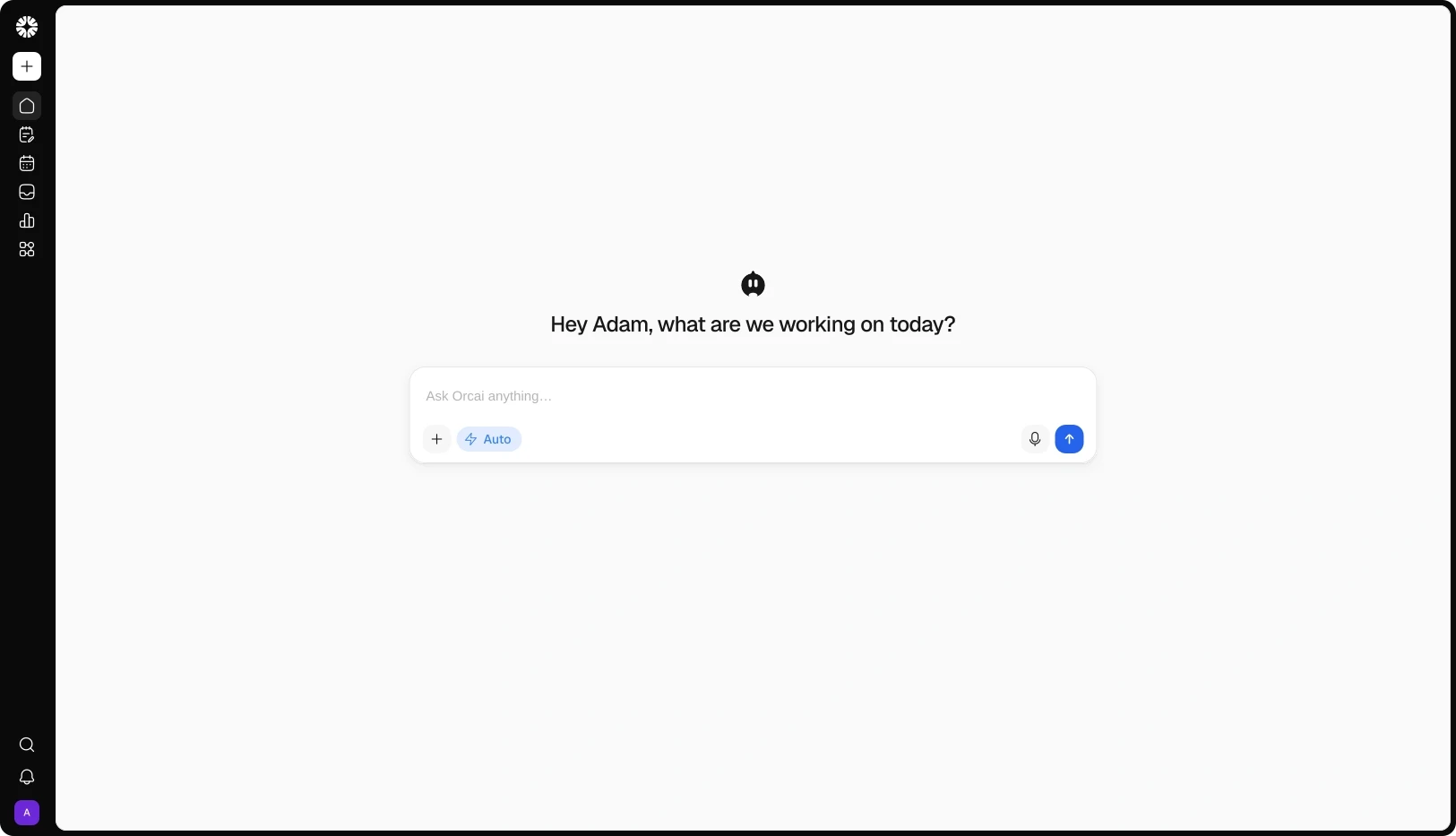
Orcai drafts the flow, simulates it, and explains failures.

Orcai drafts the flow, simulates it, and explains failures.

Orcai drafts the flow, simulates it, and explains failures.

Orcai works inside Automations: describe the job in a sentence and it drafts a validated flow, simulate a path before go-live, and read an execution to tell you which step failed — without you decoding the graph alone.

Orion is not a generic chatbot or simple writing assistant. It is the intelligence layer inside Qootra that learns how your brand communicates, what your audience responds to, and which actions help your social presence grow.

Drafts the flow

Describe what should happen — "welcome every new follower" or "comment keyword → private reply → link" — and Orcai builds the draft. You review before anything is enabled.

Simulates it first

Run a simulation to see which path a contact would take and what they'd receive, before the automation is live.

Debugs what failed

When a run misbehaves, Orcai reads the execution trace and points at the step that broke — window, rate limit, or platform error — in plain language.

Drafts the flow

Describe what should happen — "welcome every new follower" or "comment keyword → private reply → link" — and Orcai builds the draft. You review before anything is enabled.

Simulates it first

Run a simulation to see which path a contact would take and what they'd receive, before the automation is live.

Debugs what failed

When a run misbehaves, Orcai reads the execution trace and points at the step that broke — window, rate limit, or platform error — in plain language.

Drafts the flow

Describe what should happen — "welcome every new follower" or "comment keyword → private reply → link" — and Orcai builds the draft. You review before anything is enabled.

Simulates it first

Run a simulation to see which path a contact would take and what they'd receive, before the automation is live.

Debugs what failed

When a run misbehaves, Orcai reads the execution trace and points at the step that broke — window, rate limit, or platform error — in plain language.

OUTCOMES

Reply instantly, follow up every time, and stop repeating yourself

Reply instantly, follow up every time, and stop repeating yourself

Create better content, move faster, and grow with less manual work.

10x

Faster replies

A keyword in a DM or a comment gets your answer in seconds — at 3am, on a weekend, without anyone watching the inbox.

25x

More follow-ups sent

Sequences send the follow-up you'd forget, then the next one, and stop when the person replies — on every contact, not just the ones you remembered.

89%

Less manual work

Welcome messages, keyword replies, approval handoffs, and publish triggers run themselves — the repetitive layer stops costing you hours.

FAQs

Which platforms can automations reply on?

DM automations run where the platform allows — including Instagram, Facebook Messenger, Bluesky, and VK. Comment and engagement automations cover the platforms that expose those APIs — including Instagram, Facebook, Threads, LinkedIn, Google Business Profile, and VK. TikTok has no comment automation; X/Twitter DMs are not supported for automated sending — Qootra shows that honestly in the builder.

Is automation priced by contacts?

No. Automations are priced by plan, not audience size — unlimited contacts on every plan. You pay for active automations and active DM funnels, not how many people enter a flow.

What can trigger an automation?

Live triggers include: DMs, keywords, comments on a post, new followers, published posts, scheduled times, new RSS items, performance thresholds, public API calls, approved posts, completed Planner tasks, and platform-specific events where supported. Triggers without a live emitter don't appear as buildable options.

How many automations do I get?

Active automations scale with your plan — 3 on Basic, 10 on Starter, 30 on Advanced, unlimited on Agency — plus optional add-ons for more automations or DM funnels without upgrading the whole plan.

Can I test one before it goes live?

Yes. Run a test execution on a chosen contact from the builder, simulate a path with Orcai, and keep the automation in draft until you're ready to publish.

Can I see what an automation did?

Yes. Every execution is logged with per-step traces and skip reasons. How far back you can look depends on your plan's history retention.

Do comment automations and DM flows run together?

Yes. Engagement flows (comments, followers, keywords) and messaging flows (DMs, sequences) are different kinds in the same module — you can run both side by side.

Does Orcai build them for me?

Orcai drafts a flow from a sentence, simulates it, and helps debug failures — but nothing is enabled until you publish it.

Is Automations a separate tool?

No — it's part of Qootra, in the same workspace as the Planner, Content Studio, Smart Inbox, and Analytics. Contacts, inbox, and content events feed the same engine.

Ready to Run your Entire Social Media Workflow From one AI-native Workspace?

Plan, create, publish, engage, automate, and analyze from one AI-native workspace — powered by Orcai, so every post, reply, and result helps improve the next one.

Ready to Run your Entire Social Media Workflow From one AI-native Workspace?

Plan, create, publish, engage, automate, and analyze from one AI-native workspace — powered by Orcai, so every post, reply, and result helps improve the next one.

Ready to Run your Entire Social Media Workflow From one AI-native Workspace?

Plan, create, publish, engage, automate, and analyze from one AI-native workspace — powered by Orcai, so every post, reply, and result helps improve the next one.